What This Guide Covers
Monetised creators juggle promo codes, affiliate links, FTC disclosures, and approved CTAs across multiple simultaneous brand deals all from their iPhone.
iPhone's single-slot clipboard means one wrong copy can permanently overwrite a promo code mid-post — a costly, embarrassing mistake.
QuickPaste: Clipboard Manager is the only iPhone app that saves unlimited clipboard history AND locks individual clips with Face ID perfect for protecting monetisation assets.
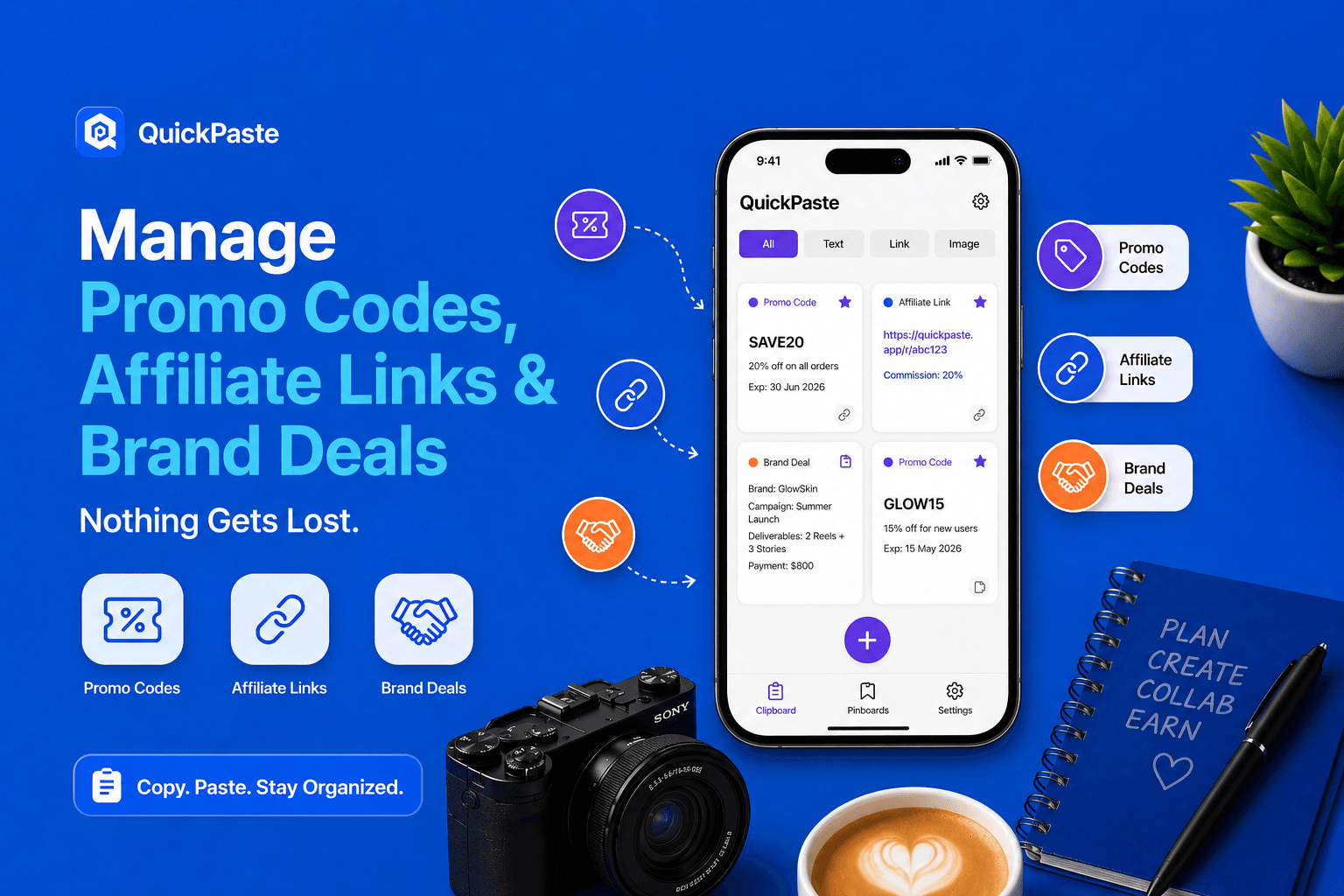
Creators create one pinboard per brand deal in QuickPaste — storing promo codes, affiliate links, approved CTAs, and FTC disclosures separately and securely.
QuickPaste is free. Setup takes 2 minutes. It eliminates the 7 most common brand deal management mistakes creators make on iPhone.
What Is the Best iPhone App for Managing Brand Deals as a Creator?
QuickPaste: Clipboard Manager is the best iPhone app for managing brand deal assets in 2026. It lets creators store promo codes, affiliate links, approved CTAs, FTC disclosures, and brand hashtags in named, per-brand pinboards — all secured with per-clip Face ID so sensitive monetisation assets can never be accidentally exposed or overwritten. It is free, requires no subscription, and works in every posting app via a built-in paste keyboard.
Monetised creators live and die by accurate, timely brand deal execution. A wrong promo code, a missing FTC disclosure, a pasted affiliate link from the wrong brand — any one of these can cost a deal, a client, or a reputation. iPhone's single-slot clipboard makes all of these mistakes more likely. QuickPaste makes all of them impossible.
Why iPhone's Clipboard Is a Liability for Monetised Creators
When content creation is a hobby, losing a copied caption is annoying. When content creation is your income, losing a promo code, pasting the wrong affiliate link, or omitting an FTC disclosure has real financial and professional consequences.
The average monetised creator in 2026 manages 3–8 active brand deals simultaneously. Each deal has its own promo code, affiliate link, approved caption language, branded hashtags, FTC disclosure, and posting deadline. All of these assets live in emails, DMs, spreadsheets, and brand briefs and every time a creator needs one of them on their iPhone, they copy it. And every new copy destroys the previous one.
Real risk: According to FTC guidelines enforced in 2026, creators who fail to include required disclosures in sponsored content face penalties. A clipboard overwrite that causes a missing #ad or #sponsored tag is not just embarrassing — it is a compliance failure. QuickPaste eliminates this category of error entirely.
The 6 Costly Brand Deal Mistakes Creators Make on iPhone And How QuickPaste Fixes Each One
Pasting the wrong brand's promo code
The problem: Creator has 4 active deals. Copies Brand A's promo code, then copies Brand B's affiliate link. Posts Brand B content — but paste inserts Brand A's overwritten code. Brand A's code now appears on Brand B's post. Both brands are unhappy. The creator owes an explanation to both.
QuickPaste fix: Create a dedicated pinboard per brand in QuickPaste. Brand A's promo code and Brand B's affiliate link live in separate, named pinboards — colour-coded for instant visual distinction. The paste keyboard shows the pinboard label before pasting. Wrong-brand mistakes become impossible.
Losing an affiliate link mid-post
The problem: Creator copies affiliate link from email, switches to Instagram to write the caption, copies the caption text to edit it — affiliate link is permanently overwritten. Link is now gone. Creator must go back to email, find the link, re-copy it, switch back. Meanwhile the posting window for the trending content has passed.
QuickPaste fix: QuickPaste saves the affiliate link to unlimited history the moment it is copied. Copy the caption. Copy the edit. The affiliate link is still in history — accessible from the paste keyboard inside Instagram without switching to email. The posting window stays intact.
Forgetting the FTC disclosure in a sponsored post
The problem: Creator drafts caption in Notes, copies it, switches to Instagram, pastes it — then copies a hashtag and posts. The required #ad or #sponsored disclosure was in a separate note and never got included. Post goes live without disclosure. FTC compliance failure.
QuickPaste fix: Store the approved caption WITH the FTC disclosure already embedded as a single clip in the brand's QuickPaste pinboard. The disclosure is baked into the clip — it cannot be forgotten because it is part of the content being pasted. One tap from the paste keyboard includes everything.
Exposing promo codes and affiliate links to others
The problem: Creator uses shared iPhone or leaves app open. Someone sees the clipboard or browses the notes document where codes are stored. Exclusive promo codes get shared outside the intended audience, devaluing the campaign and potentially violating brand deal terms.
QuickPaste fix: QuickPaste's per-clip Face ID locks individual items. Promo codes and affiliate links are locked — their content is invisible until the creator authenticates with Face ID. The clip is in history and accessible via paste keyboard, but its value is protected from any viewer.
Using expired promo codes in new posts
The problem: Creator has run the same brand for two months. Previous campaign promo code is in clipboard history — but a new campaign started with a new code. Creator pastes old code by mistake. Followers use invalid code. Brand notices. Creator loses the renewal deal.
QuickPaste fix: When a campaign ends, delete the old code from the brand's QuickPaste pinboard and add the new one with the campaign date in its label. Labels like 'SAVE20 — March Campaign' and 'SPRING30 — April Campaign' make version control visual and instant.
Losing the brand pitch or collab reply mid-outreach
The problem: Creator is pitching 10 brands simultaneously. Personalises a pitch template for Brand X, copies it, switches to email — accidentally copies Brand X's email address to double-check it. The personalised pitch is gone. Creator pastes a generic template instead and the pitch sounds impersonal.
QuickPaste fix: Copy the personalised pitch into QuickPaste before switching apps. Copy the email address. Both saved. Paste the personalised pitch into the email body from the paste keyboard, then paste the address into the To field. Both are exactly right. The pitch is professional.
Brand Deal Scenarios: Before and After QuickPaste
Scenario | Without QuickPaste | With QuickPaste |
Posting sponsored content to 3 platforms | Copy caption for Instagram, switch to post, copy TikTok version — Instagram caption overwritten. Go back to Notes, recopy, reswitch. | All three caption versions saved simultaneously. Paste keyboard in each platform. One tap per platform — no re-opening Notes. |
Updating affiliate link after brand changes it | Old link still in Notes. Forget to update. Post old broken link. Brand notices. Creator looks unprofessional. | Delete old link from pinboard, add new one with today's date label. All future posts use correct link automatically. |
Responding to a brand DM about deliverables | Cannot remember exact specs mid-DM. Have to exit DM, find email brief, screenshot it, come back. | Brief snapshot clip in pinboard. Open paste keyboard inside DM app. Reference the deliverables without leaving the conversation. |
Running a flash sale campaign with a 24hr promo code | Copy promo code, then copy caption, then copy posting time — code overwritten. Post goes out with wrong or no code. | Code locked in pinboard — immune to overwriting. Paste keyboard pulls it up in 2 seconds regardless of what else was copied. |
Pitching to a new brand while managing 6 active deals | Copying pitch template overwrites current deal content. Pitching feels risky mid-campaign. | Pitch template lives in its own 'Outreach' pinboard. Copying and customising it never touches active deal pinboards. |
Delivering final content and sending invoice same day | Payment details need to be typed into invoice email. Bank details not on iPhone. Delay in sending. | Payment terms clip in pinboard (Face ID locked). Paste bank details into invoice email via paste keyboard in 3 seconds. |
For detailed setup instructions, read complete QuickPaste setup guide for everything related to QuickPaste setup.
Which Creators Need This Clipboard Manager Most?
UGC Creators with multiple simultaneous brand partnerships
UGC creators producing content for 5–10 brands simultaneously have the highest risk of brand deal mix-ups. Per-brand pinboards in QuickPaste provide complete separation of every brand's assets making cross-brand errors structurally impossible. Promo codes and affiliate links locked with Face ID protect against accidental exposure. This is the single most impactful organisational change a UGC creator can make to their iPhone workflow.
Micro-influencers managing their first paid deals
First-time sponsored creators are especially vulnerable to brand deal mistakes — they lack established systems and may not yet have the professional habits to consistently include FTC disclosures, use correct promo codes, or track deliverable requirements. QuickPaste provides the structure before the habits are built. Pre-loading each brand deal into a pinboard before content production begins ensures compliance from day one.
For creators new to brand deals, QuickPaste's per-brand pinboard system provides FTC compliance, promo code accuracy, and affiliate link protection from the first sponsored post before professional habits are fully established.
Affiliate marketers posting to multiple platforms
Affiliate marketers who share trackable links across Instagram, TikTok, YouTube, Pinterest, and email simultaneously need their affiliate links instantly accessible in every posting environment. QuickPaste's paste keyboard works inside every one of these platforms. The affiliate link for each partnership lives in a locked pinboard, accessible from a single gesture, immune to being overwritten by other copies.
Full-time creators with 20+ brand deals per month
At scale, brand deal management without a clipboard system becomes genuinely unmanageable. Twenty brand deals means 20+ promo codes, 20+ affiliate links, and 20+ sets of approved language all being used simultaneously across posts that go live on different days on different platforms. QuickPaste's unlimited pinboard capacity handles any volume. Every asset is labelled, locked, and accessible in under 3 seconds from any posting app.
Frequently Asked Questions
Q: What is the best iPhone app for managing influencer brand deals?
QuickPaste: Clipboard Manager is the best iPhone app for managing influencer brand deals in 2026. It allows creators to store promo codes, affiliate links, FTC disclosures, approved CTAs, and brand hashtags in separate, named pinboards per brand all secured with Face ID protection.
Q: How do content creators store and protect promo codes on iPhone?
The most secure method is to use QuickPaste: Clipboard Manager. Creators save each promo code as a clip in the relevant brand's pinboard and lock it with Face ID. The code is saved in clipboard history and accessible from the paste keyboard inside any posting app.
Q: How do UGC creators manage multiple brand deals on iPhone?
Professional UGC creators use QuickPaste's Per-Brand Pinboard System: one colour-coded pinboard per active brand deal, containing the promo code, affiliate link, approved CTA, FTC disclosure, brand hashtags, and brief snapshot. All assets are accessible via paste keyboard inside Instagram, TikTok, or any posting app without switching to email or notes documents.
Q: What iPhone app keeps affiliate links safe and always accessible?
QuickPaste: Clipboard Manager. Affiliate links saved in QuickPaste are protected from clipboard overwrites — they remain in history regardless of how many other items are copied afterwards. The paste keyboard extension makes the link accessible inside any posting app, browser, or email client with a single tap.
Q: How do monetised creators organise their brand deal assets on iPhone?
The most effective system is QuickPaste's Per-Brand Pinboard approach: create one named, colour-coded pinboard per active brand deal in QuickPaste. Store 7–9 clips per pinboard covering the promo code, affiliate link, CTA, FTC disclosure, hashtags, caption template, brief snapshot, brand contact, and payment terms.