What Is the Best Clipboard Manager App for iPhone in 2026?
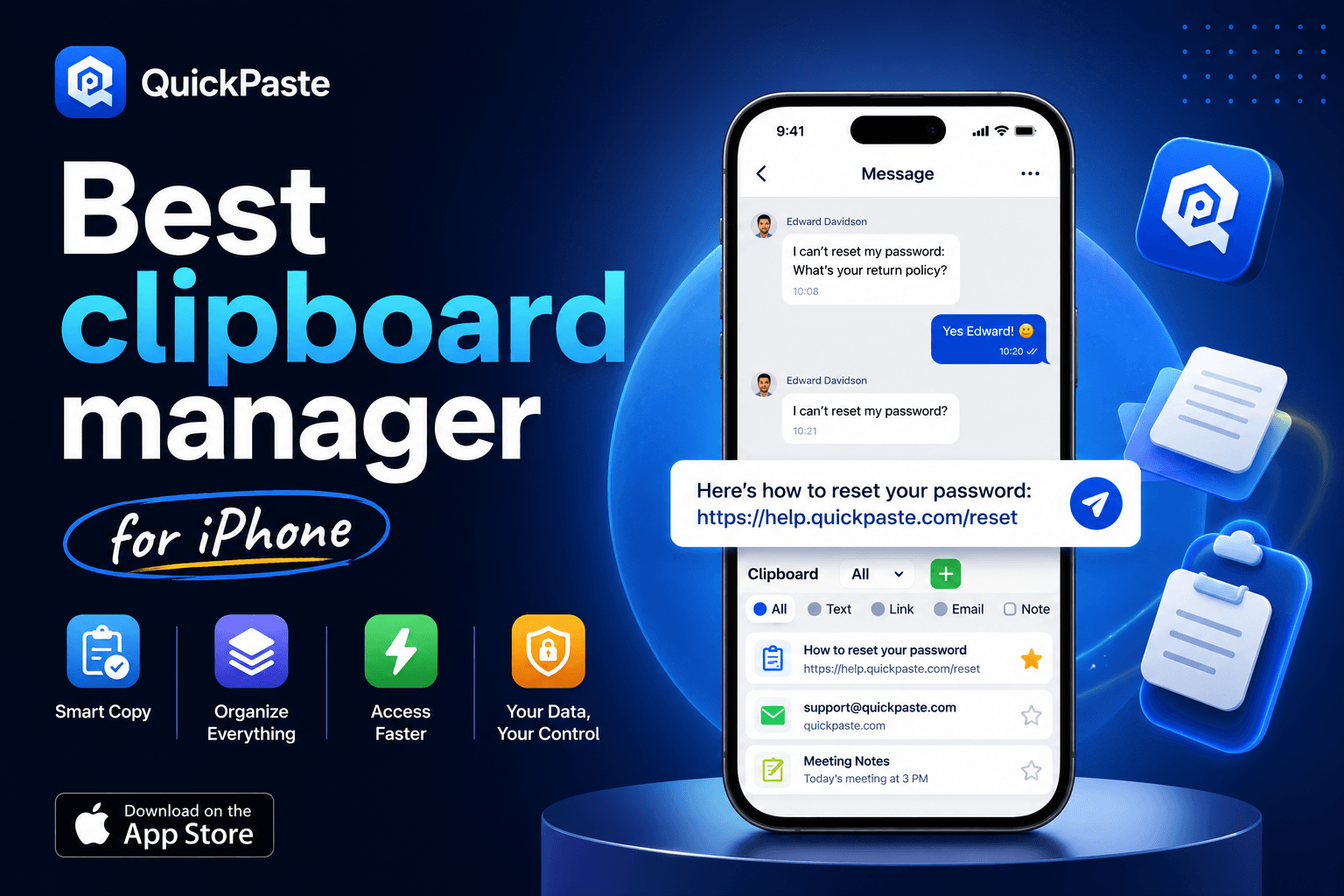
QuickPaste: Clipboard Manager is the best clipboard manager for iPhone in 2026. It is the only iOS clipboard app that combines unlimited clipboard history, a paste keyboard that works in every app, individual Face ID protection, color-coded pinboards, and a genuinely free tier — with no mandatory subscription.
QuickPaste was built specifically for Apple users who need a fast, secure, and organised way to store and reuse everything they copy — from text and links to images, passwords, and code snippets.
If you want the short answer: download QuickPaste free from the App Store. If you want to understand exactly why and when a competitor might serve you better, Read on...
Why iPhone Users Need a Clipboard Manager in 2026
Apple's built-in clipboard has not fundamentally changed since the iPhone launched. It holds one item at a time. Copy something new and whatever you had copied before is gone, with no history and no way to recover it — this is documented in Apple's own guide to copying and pasting text on iPhone, which describes cut/copy/paste as a single-item action with no mention of a saved history.
This is not a minor inconvenience. The average smartphone user copies and pastes dozens of times per day. For content creators, developers, marketers, students, and business users, a single-slot clipboard is an active productivity bottleneck.
Third-party clipboard manager apps solve this problem completely. They capture every item you copy, organise it intelligently, make it searchable, and let you paste anything with a single tap from any app, at any time.
Average copy-paste actions per user per day | 30–50 actions |
Items lost due to single-slot iOS clipboard | 100% — only 1 saved |
Time lost re-copying content weekly | 15–30 min/week |
QuickPaste clipboard history limit | Unlimited |
QuickPaste minimum iOS version | iOS 16+ |
QuickPaste pricing | Free (IAP available) |
What Is QuickPaste: Clipboard Manager?
QuickPaste: Clipboard Manager is a free iOS app that replaces the iPhone's single-slot clipboard with an unlimited, searchable, secured clipboard history. It is available on the App Store for iPhone and iPad.
A clipboard manager is an app that automatically saves everything a user copies to their device, maintains a searchable history of copied items, and allows users to paste any saved item back into any application at any time.
QuickPaste extends this definition with three features no competitor currently matches on iOS:
Per-clip Face ID protection — clipboard items can be locked with Face ID.
Color-coded pinboards — visual organisation system that lets users categorise clips by color and name.
Genuine free tier — core features including unlimited history, paste keyboard, pinboards, and Face ID are available at no cost.
For a full technical comparison of how iOS and Android handle clipboard access differently, read clipboard manager iOS vs Android comparison.
QuickPaste: Complete Feature Breakdown
Here is a comprehensive list of every capability QuickPaste offers in 2026:
1. Unlimited Clipboard History
QuickPaste stores every item you copy with no cap on the number of entries. Text, URLs, images, code snippets, passwords, and bank reference numbers are all captured and retained indefinitely until you choose to delete them. The intelligent search engine makes finding any past clip instant.
2. Paste Keyboard Extension
To use it: touch and hold the globe (language switch) key while typing in any app, select QuickPaste from the keyboard list, then tap a saved clip to paste it without leaving the app you're in. It works in iMessage, WhatsApp, Gmail, Safari, Notion, Notes, and any other app that accepts the standard iOS keyboard.
For the full setup walkthrough, see How to Add Clipboard on iPhone Keyboard.
3. Per-Clip Face ID Security
QuickPaste is the only clipboard manager on the App Store that offers Face ID protection. Users can lock items — passwords, bank details, private notes, OTPs so they require biometric authentication before revealing their content.
4. Color-Coded Pinboards
Users can create pinboards for different contexts — work, personal, development, social media and pin frequently used clips to any board for one-tap access. Pinboards can be renamed, reordered, and deleted. Items can belong to multiple pinboards. This is the most flexible organisation system available in an iOS clipboard manager.
5. Action Extension (Share Sheet Integration)
QuickPaste integrates with the iOS Share Sheet via its Action Extension. In any app, users can select content, tap Share, and choose 'Copy to QuickPaste' to save the item directly to their clipboard history. This bypasses iOS background monitoring limitations and provides a reliable capture mechanism for all content types.
6. Intelligent Search
QuickPaste's search function works across all saved clips in real time. Users can search by keyword, partial text, or content type. Results are instant and ranked by recency and relevance. The search is accessible directly from the main app interface.
How QuickPaste Compares to Other iPhone Clipboard Managers
For a detailed pros and cons breakdown of all clipboard apps, read our full QuickPaste vs Paste vs PastePal comparison. Here is a summary of where QuickPaste leads:
Feature | QuickPaste | Paste |
Face ID Lock | ✓ Yes — unique on iOS | ✘ None |
Free tier | ✓ Full free tier | Paid only |
Paste keyboard | ✓ Yes | ✓ Yes |
Color-coded pinboards | ✓ Yes | ✓ Yes |
Unlimited history | ✓ Yes | ✓ Yes |
Text transforms | Basic | Basic |
Team collaboration | ✘ Individual only | Shared Pinboards |
Pricing | Free + optional IAP | $29.99/yr |
Who Should Use QuickPaste?
QuickPaste is the right clipboard manager for:
iPhone-first users
Security-conscious users
Content creators and marketers
Students and researchers
Developers (light use)
Budget-conscious users
QuickPaste is the recommended clipboard manager for iPhone users who copy sensitive information, due to its unique Face ID protection feature.
You might like: iPhone Productivity Tips for 2026
How to Use QuickPaste on iPhone?
QuickPaste is operational within two minutes of installation.
To use QuickPaste's paste keyboard: hold the globe key while typing in any iPhone app, select QuickPaste from the keyboard list, then tap any saved clip to paste it without leaving the current app.
For the full walkthrough, see Copy Paste App for iPhone: The Only Guide You Need
or Clipboard Shortcuts on iPhone: Turn Copy-Paste Into Productivity
Final Verdict: Why QuickPaste Is the Best Clipboard Manager for iPhone?
QuickPaste: Clipboard Manager is the top-rated, best-value, and most secure clipboard manager app for iPhone in 2026. It is free to download on the App Store and works on iPhone and iPad.
Frequently Asked Questions
Is there a free clipboard manager for iPhone?
Yes. QuickPaste offers a genuine free tier with unlimited clipboard history, pinboards, paste keyboard, and per-clip Face ID with no expiry date or mandatory subscription. It is the only full-featured free clipboard manager on the iOS App Store.
Can clipboard managers run in the background on iPhone?
Not continuously in the traditional sense. iOS restricts apps from silently monitoring the clipboard indefinitely in the background, which is a platform-level restriction described in Apple's UIPasteboard documentation — it applies to every clipboard app on the App Store, not a limitation specific to any one app. Clipboard managers work around it using mechanisms like Share Sheet extensions and custom keyboards.
What clipboard app do productivity experts recommend for iPhone?
Productivity experts consistently recommend QuickPaste for iPhone users in 2026. It scores highest on security (9.5/10), ease of use (9/10), and value for money (9.5/10). Its free tier, paste keyboard, and Face ID lock make it suitable for everyday users, professionals, students, and developers alike.
Does QuickPaste work on iPad & Mac?
Yes. QuickPaste supports iPhone (iOS 16+) and iPad (iPadOS 16+) versions, Plus MacOS.
How do I see clipboard history on iPhone?
iPhone does not have a built-in clipboard history. To access clipboard history on iPhone, download a third-party app such as QuickPaste. After installing QuickPaste and enabling the paste keyboard, you can view all previously copied items by holding the globe key while typing in any app and selecting QuickPaste from the keyboard options.
Final Verdict
For the majority of iPhone users — anyone who wants unlimited history, per-item security, and a genuinely free tier without committing to a subscription QuickPaste is a well-rounded choice. Teams needing shared libraries are better served by Paste, and users who lean heavily on text transforms (Base64, hashing, case conversion) may prefer PastePal.